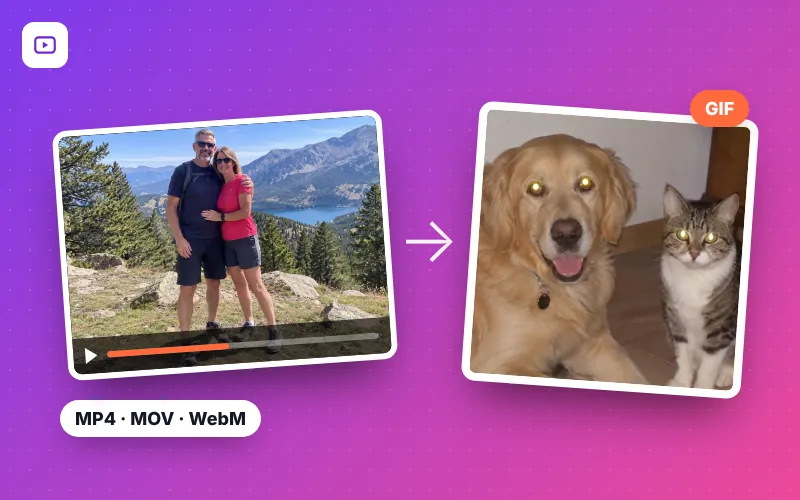
How to convert a video to GIF in 4 steps
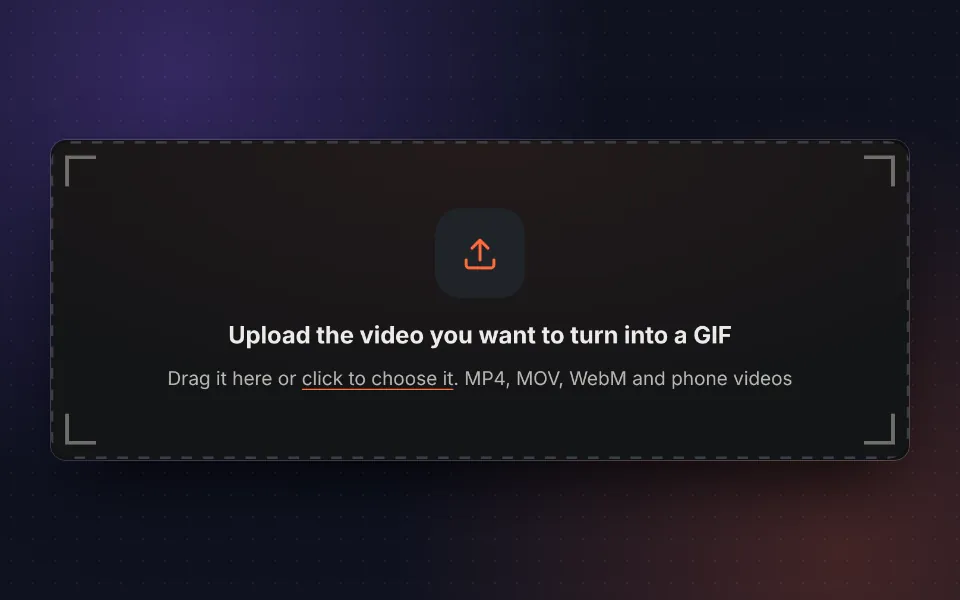
Upload the video
Drag the video, pick it from your phone or computer or try the sample video.
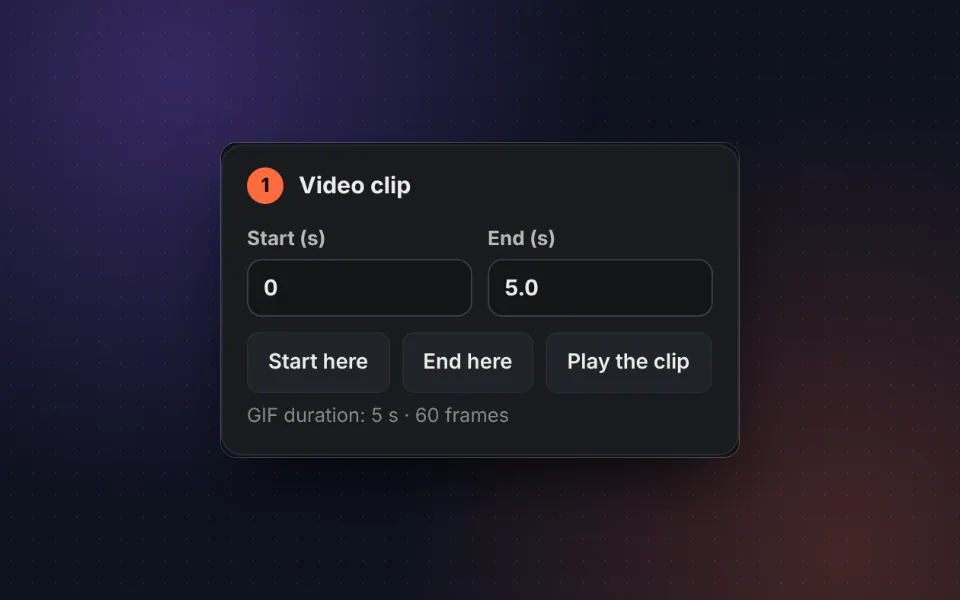
Choose the clip
Mark the start and end on the timeline or type the exact seconds.
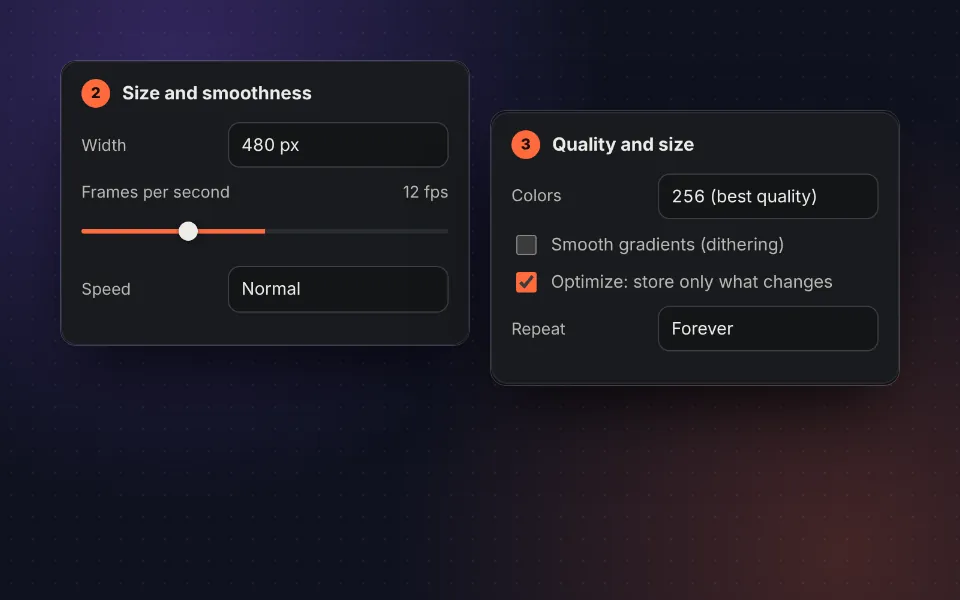
Set size and fps
Choose the width, frames per second, speed and color quality.
Create and download
Press Create GIF, check the result and its size and download or share it.
A fast, private video to GIF converter with no limits
Animated GIFs are still the simplest way to share a moment in motion: they play on their own, in a loop and without sound on WhatsApp, Telegram, forums, emails, presentations and websites. With this video to GIF converter you can turn any part of a video into a GIF ready to share, without installing software or creating accounts.
Unlike other websites, your video is not uploaded to any server. The conversion happens in your own browser, so it is faster, there are no queues or daily file limits and you can convert personal videos with complete privacy.
It supports the most common formats: MP4 to GIF, MOV to GIF (iPhone videos), WebM to GIF and M4V, as well as screen recordings and videos downloaded from social media that you have on your device.
Settings for a perfect GIF
Clip: short and purposeful
A good GIF lasts between 2 and 8 seconds. Mark the start and end on the timeline with the Start here and End here buttons, or type the exact seconds. With Play the clip you can loop it to check that it starts and ends where you want.
Width and frames per second
The size of a GIF depends mainly on the width, the frames per second (fps) and the length. For messaging and social media, 480 px and 12 fps is the ideal balance. If you want a very smooth animation, go up to 20 or 25 fps; if you need a small file, try 320 px and 10 fps.
Speed
You can create a slow-motion GIF (0.5×) to highlight a gesture or speed it up to 4× to sum up a long process, such as a tutorial, a recipe or a build.
Colors, dithering and optimization
The GIF format supports at most 256 colors per frame. The tool calculates its own palette for each frame, so the colors of the video are preserved as much as possible. Dithering smooths gradients in skies or skin, and the Optimize option stores only the pixels that change between frames, which can halve the size of videos with a static background.
Recommended settings by use
| Use | Width | fps | Length |
|---|---|---|---|
| WhatsApp and Telegram | 480 px | 12 | 2-6 s |
| Email and presentations | 480-640 px | 10-12 | 2-5 s |
| Websites and blogs | 640-800 px | 15 | 3-8 s |
| Forums, Discord and Slack | 320-480 px | 10-15 | 2-5 s |
| Screen tutorials | 800 px | 10 | 5-15 s |
Many platforms limit GIF size: Discord accepts up to 10 MB without Nitro and some email services reject large attachments. If yours is too big, reduce the width or the fps, or use the GIF compressor.
GIF or video? When to use each
A GIF is ideal when you want the animation to play on its own and in a loop anywhere: almost every app, email client and website shows it without a player. In return, it is heavier than a video and has no sound. For long clips or clips with audio it is better to share the video; for reactions, memes, product demos or short tutorials, the GIF is still unbeatable.
If you want to animate several photos instead of a video, use our tool to make a GIF from photos. And if you already have a GIF, you can crop it, resize it or extract its frames.
Privacy: your video never leaves your device
The whole conversion uses your own browser's technology. The video is not sent to any server, it is not stored and nobody else can see it. You can check it by disconnecting from the internet after loading the page: the tool keeps working.
Frequently asked questions
How do I convert a video to GIF?
Upload the video, mark the start and end of the clip, choose the size and frames per second and press Create GIF. A few seconds later you can download it.
Which video formats are supported?
MP4, MOV, WebM, M4V and, in general, any video your browser can play, including the ones recorded with your phone. iPhone HEVC videos work in Safari and in browsers that support that codec.
Is it free and without a watermark?
Yes. It is free, there is no sign-up and the GIF has no watermark.
Is my video uploaded to a server?
No. The video is processed in your browser and never leaves your device, so you can convert private videos with complete peace of mind.
How long can the GIF be?
Up to 30 seconds. To keep the GIF from getting too heavy, 2 to 8 seconds is ideal.
Which size and fps should I choose?
For WhatsApp, Telegram or social media, 480 px wide and 12 fps give good results with a reasonable file size. For a smoother GIF go up to 15 or 20 fps; for a lighter one, go down to 320 px and 10 fps.
Why is the GIF larger than the video?
The GIF format dates from 1987 and does not compress like a modern video: it stores each frame almost in full with at most 256 colors. That is why short clips, fewer fps and a smaller width help. The Optimize option greatly reduces the size by storing only what changes between frames.
Can I speed up or slow down the GIF?
Yes. In Speed you can choose from half speed up to four times faster. It is perfect for slow motion or for summing up a long video.
Can I make a GIF that only repeats a few times?
Yes. In Repeat, choose whether it loops forever, plays once or three times.
Does it work on my phone?
Yes. It works on Android and iPhone in the browser, without installing any app. On your phone you can share the GIF directly.
What can I do if the GIF is too large to send?
Lower the width, the fps or the colors, or shorten the clip. You can also run it through our GIF compressor.