How to make a photo calendar in 4 steps
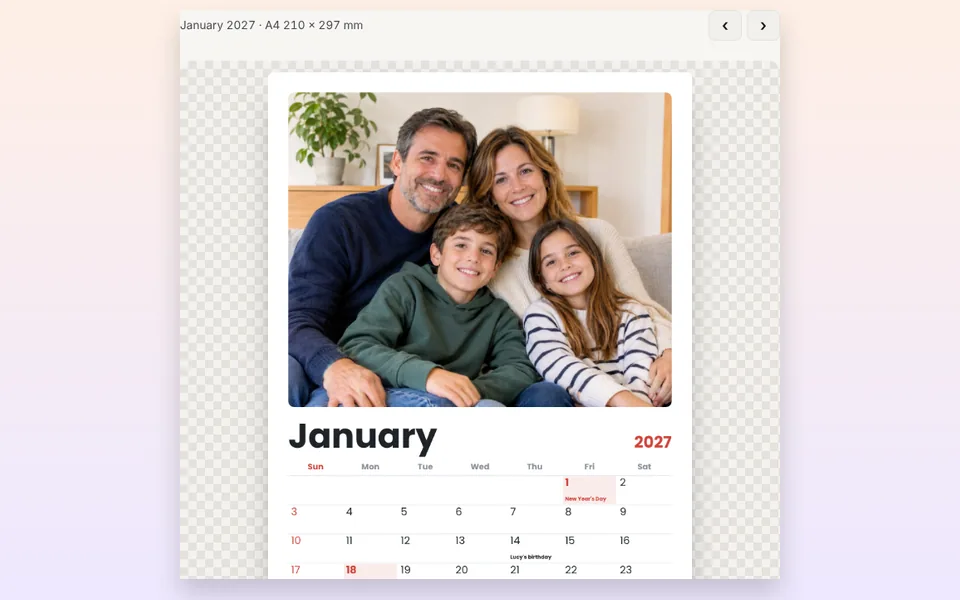
Upload your photos
Choose 1 to 13 photos: one for the cover and one for each month. They are spread automatically.
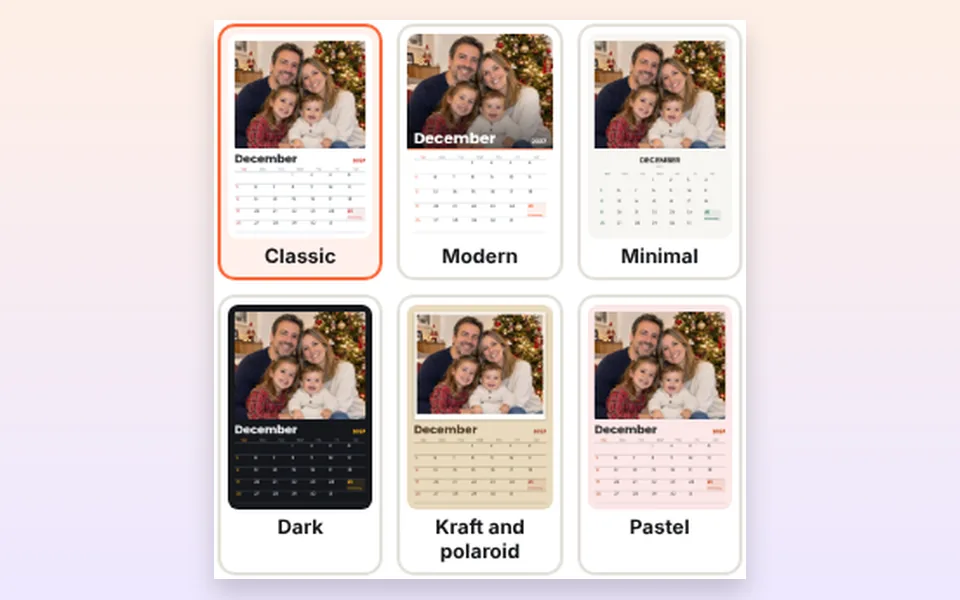
Choose format and style
Wall, desk or year calendar, and one of the 6 styles in the color you like.
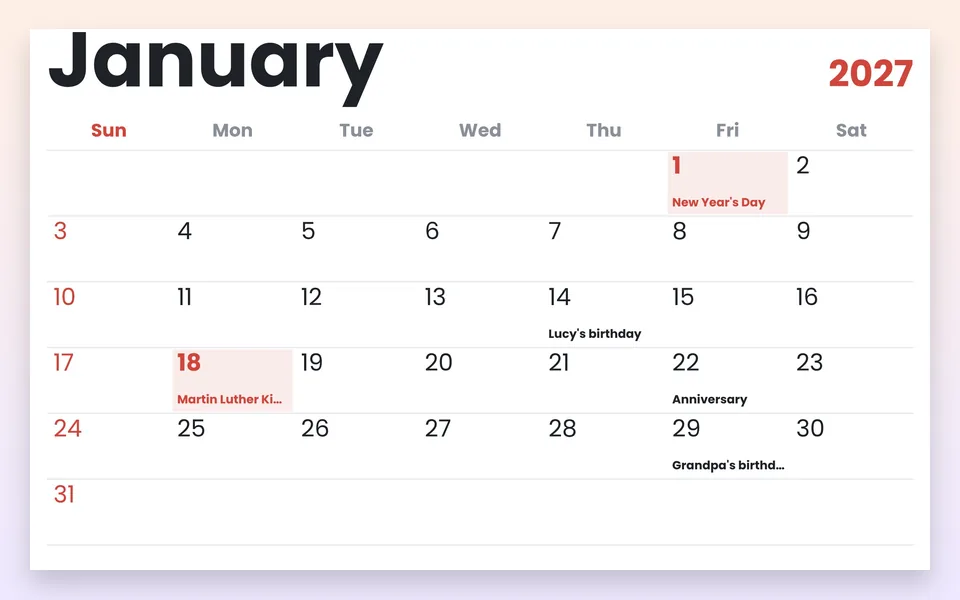
Add your dates
Holidays are already there. Add birthdays, anniversaries and vacations.
Download and print
Download the PDF to print or the ZIP with one image per month.
A custom calendar: the gift people look at all year
A photo calendar is one of the few gifts that gets used every single day: each month brings a new memory, a trip, a birthday, the holidays or the grandkids' faces. That's why it's a favorite Christmas gift for grandparents, parents and friends who live far away.
With this tool you make your custom 2027 calendar without any design skills. The photos are placed automatically, the days and holidays are calculated for you, and you only choose the format, the style and the dates you want to remember. When you're done, you download a PDF ready to print at home or at a print shop.
Wall, desk or one-page year calendar
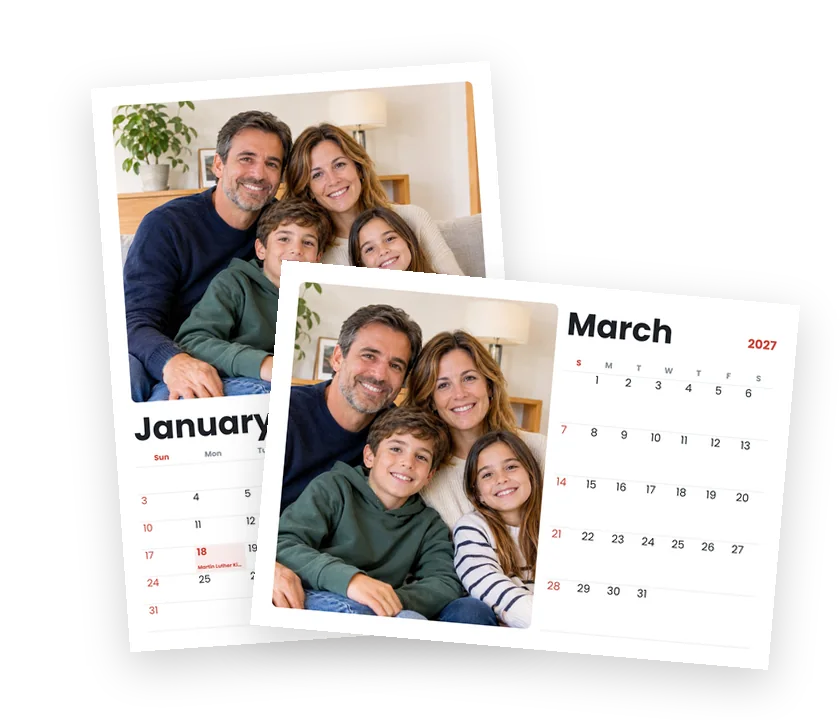
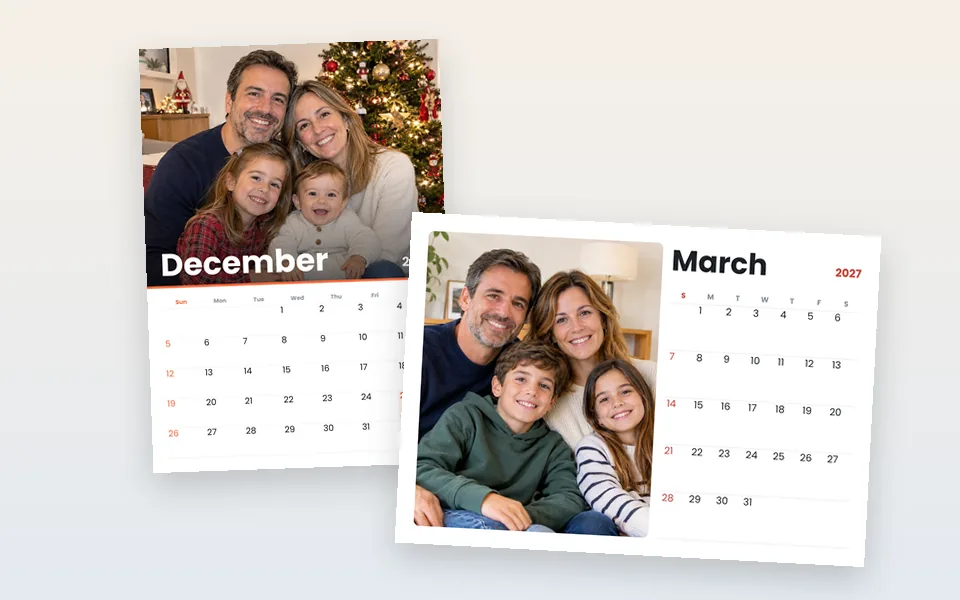
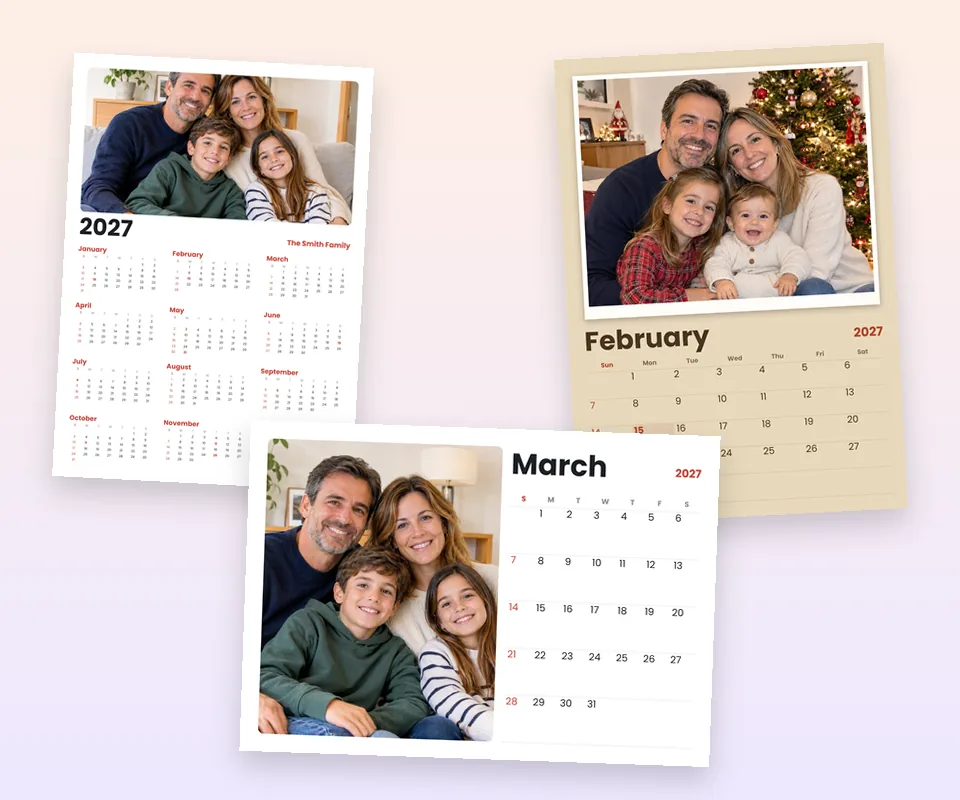
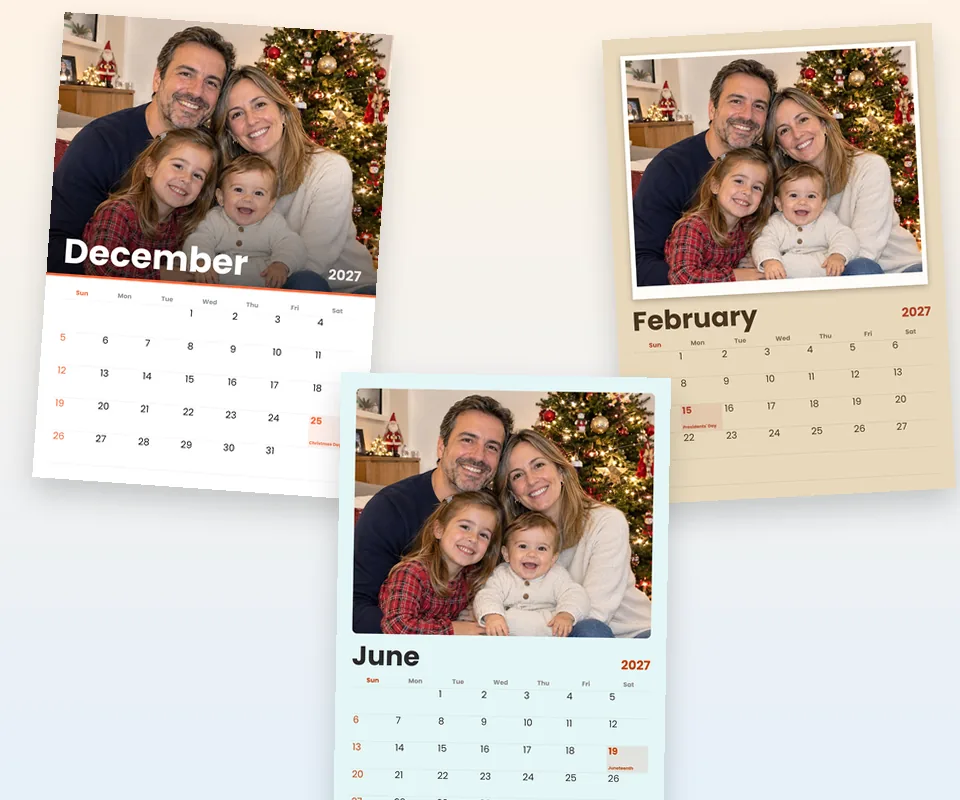
Wall calendar: the classic 12-month calendar with a big photo on top and the days below, in A4 or A3 portrait. Add a cover with your family name and it looks like a store-bought calendar. To hang it, print it and bind it with a spiral, a staple or a clip.
Desk calendar: landscape A5 (half an A4 sheet), with the photo on one side and the month on the other. Perfect for the office or the nightstand.
Year calendar: the whole year on a single A4 or A3 sheet with one photo. Great for the fridge, for planning vacations or as a poster.
6 calendar styles for every home
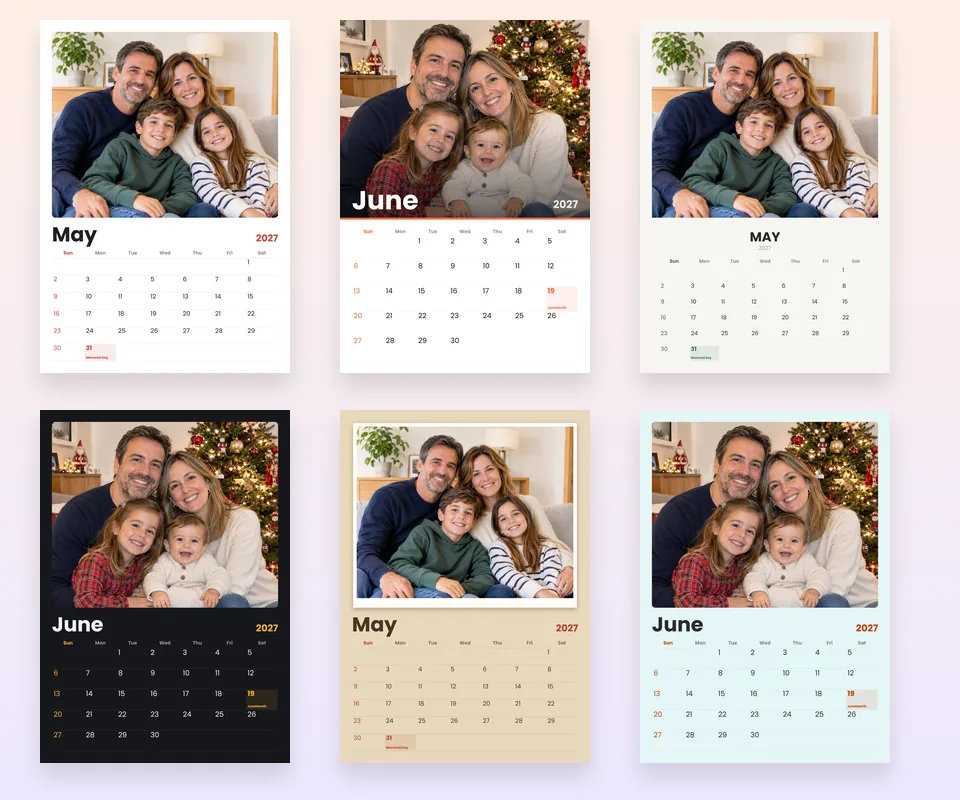
- Classic. White background, photo with soft corners and a thin grid. Always looks good.
- Modern. The photo spans the full width and the month name sits on top of it, in white.
- Minimal. No lines, with the month centered in capitals. Clean and elegant.
- Dark. Black background and light numbers, so the photos stand out.
- Kraft and polaroid. Brown paper and the photo with a white frame, like a polaroid.
- Pastel. Each month with a different soft background color.
In every style you can change the color of Sundays and holidays and choose between four fonts: modern, classic, handwritten and elegant.
US federal holidays 2027
By default, the calendar marks the US federal holidays of 2027 with their names:
| Date | Day | Holiday |
|---|---|---|
| January 1 | Friday | New Year's Day |
| January 18 | Monday | Martin Luther King Jr. Day |
| February 15 | Monday | Presidents' Day |
| May 31 | Monday | Memorial Day |
| June 19 | Saturday | Juneteenth |
| July 4 | Sunday | Independence Day |
| September 6 | Monday | Labor Day |
| October 11 | Monday | Columbus Day |
| November 11 | Thursday | Veterans Day |
| November 25 | Thursday | Thanksgiving |
| December 25 | Saturday | Christmas Day |
State and local holidays vary, so you can add them yourself in Important dates, together with birthdays, anniversaries and school breaks.
UK bank holidays 2027 (England and Wales)
Choose United Kingdom in Holidays of to mark the bank holidays of England and Wales. When a holiday falls on a weekend, the substitute day is added too:
| Date | Day | Holiday |
|---|---|---|
| January 1 | Friday | New Year's Day |
| March 26 | Friday | Good Friday |
| March 29 | Monday | Easter Monday |
| May 3 | Monday | Early May bank holiday |
| May 31 | Monday | Spring bank holiday |
| August 30 | Monday | Summer bank holiday |
| December 25 | Saturday | Christmas Day |
| December 26 | Sunday | Boxing Day |
In 2027 Christmas Day falls on a Saturday and Boxing Day on a Sunday, so the substitute bank holidays are Monday 27 and Tuesday 28 December.
You can also choose the holidays of Spain, France, Italy or Germany.
Birthdays, anniversaries and important dates
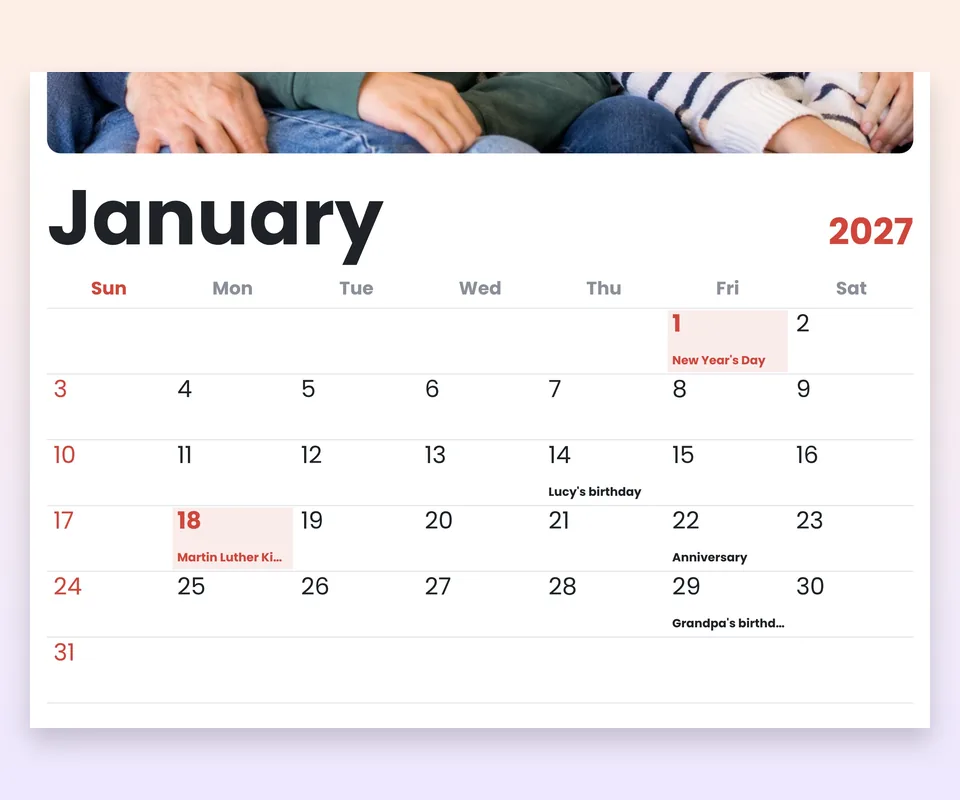
Type the date and a short text, like "Grandma's birthday" or "Anniversary", and it appears on its day in small letters under the number. You can add as many as you want, and several on the same day.
The dates repeat every year and are saved in your browser, so next year you'll only need to change the photos.
How to print your photo calendar
- At home: open the PDF and in the print window choose Actual size or 100 %, not Fit to page. Use matte photo paper or card stock of 200 to 250 gsm (about 80 to 90 lb cover).
- Desk calendar: it prints in A5. You can print two months per A4 sheet, or ask a print shop to bind it with a spiral on a desk stand.
- At a print shop or photo store: take the PDF. If they ask for images, download the ZIP with one JPG per page.
- To hang it: the easiest way is a metal spiral binding with a hanger at the top. Any copy shop can do it.
| Calendar | Paper | PDF resolution |
|---|---|---|
| Wall | A4 portrait (21 × 29.7 cm) | 2480 × 3508 px, 300 dpi |
| Large wall | A3 portrait (29.7 × 42 cm) | 2572 × 3638 px, 220 dpi |
| Desk | A5 landscape (21 × 14.8 cm) | 2480 × 1748 px, 300 dpi |
| Year | A4 or A3 portrait, one sheet | 300 or 220 dpi |
Tips for choosing the photos for each month
- Follow the seasons. Snow in January, flowers in spring, the beach in summer, leaves in fall and Christmas in December.
- Put each birthday in its month. A photo of the birthday person in their month is a lovely detail.
- Landscape photos work best. The photo area is wide; portrait photos work too, but you'll need to frame them.
- Use good-resolution photos. For an A4 page they should be at least 2000 px wide. If they are small, you can upscale them first.
- Old photos too. A "30 years ago" calendar with family photos is a wonderful gift. If they are damaged, try to restore the old photo.
Your family photos, just for you
The calendar is made entirely in your browser: your photos are not uploaded to any server, they are not stored and nobody else can see them. Only the important dates are saved in your own browser for next time. More information in our legal notice and privacy policy.
Frequently asked questions
How do I make a calendar with my photos?
Upload your photos, choose the format (wall, desk or year) and a style, add birthdays if you want and click Download PDF. The photos are spread across the months automatically and you can change any of them.
Is it free?
Yes. It's free, with no sign-up and no watermark. You can make as many calendars as you like.
Are my photos uploaded to a server?
No. The calendar is made in your browser and your photos never leave your phone or computer.
Can I use a different photo for each month?
Yes. Upload 12 or 13 photos at once and they are placed one per month (and the first one on the cover). You can also choose a month and click Change this month's photo.
Can I use the same photo for every month?
Yes. Frame the photo the way you like in one month and click Use this photo for every month.
Are holidays included?
Yes. US federal holidays of 2027 are marked with their names. You can also choose the bank holidays of the United Kingdom, or the holidays of Spain, France, Italy or Germany. Add state or local holidays as important dates.
Can I add birthdays and anniversaries?
Yes. In Important dates you type the day and the text, for example "Lucy's birthday", and it appears on that day. It repeats every year and stays saved in your browser for next time.
What size does it print at?
The wall calendar prints in A4 or A3 portrait, the desk calendar in A5 landscape (half an A4 sheet) and the year calendar on a single A4 or A3 sheet. All at 300 dpi, except A3 at 220 dpi.
Can I print it on US Letter paper?
Yes. Open the PDF and choose Fit to page or Scale to fit in the print window. A4 is slightly longer than Letter, so you'll get a thin white margin.
How do I print it at home?
Open the PDF and in the print options choose Actual size or 100 %, not Fit to page. For the best result, use photo paper or card stock.
Does the week start on Sunday?
Yes, by default, as is usual in the US. You can switch it to Monday.
Does it work on my phone?
Yes. It works on Android and iPhone in the browser, with nothing to install. To frame the photo, drag it with your finger inside its area.